How the “Pages with No Visits” Feature Works in Siteimprove Analytics
Summary
The Pages with no visits feature in Siteimprove Analytics shows pages that had no visits during a selected time period and applies specific criteria to ensure accuracy in reporting.
Overview
The Pages with no visits feature in the Siteimprove Analytics module displays a list of pages on your website that have had no visits during the selected time period.
This article covers possible reasons why pages are not being visited and what criteria a page must meet in order to be displayed in the Pages With No Visits table.
What the Feature Shows
- Pages that have had no visits during the selected time period
Inclusion Criteria
Only pages that meet ALL of the criteria listed below will be included:
- The page must have the Siteimprove Analytics script.
- The page must have Analytics/Quality Assurance integration - i.e. the page must be found in both Quality Assurance and Analytics and have a match established between them.
- The page must have been found in the latest Quality Assurance crawl.
- The page must have had no visits in the selected time period with any chosen filter and group.
- If the page registered in Quality Assurance has multiple Analytics link matches (in case of a parameter exclusion, for example), the page will only be included if none of these links have had any visits.
How Results Are Interpreted
These criteria make sure that pages included in the list with some certainty have NOT had any visits during the selected time period. 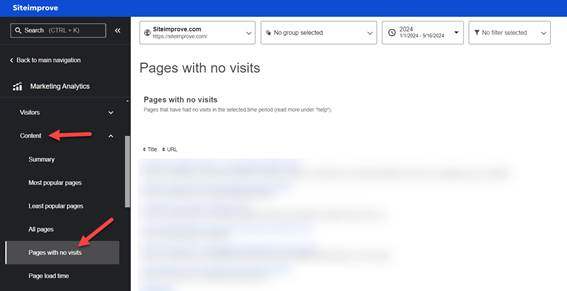
It also means that in many cases this list will not be complete: there may be pages on the website that have not had any visits in the selected time period, but are not included in the list because we do not know they exist.
This can occur when sections of the site are not included in the Quality Assurance crawl, or when pages do not have the Siteimprove Analytics script.
Did you find it helpful? Yes No
Send feedback