What does the Siteimprove CMS Plugin offer?
Summary
The Siteimprove CMS Plugin bridges the gap between a customer's Content Management System (CMS) and the Siteimprove Intelligence Platform (SIP). The plugin allows users to access Siteimprove insights directly within their CMS so they can identify and address issues without leaving their content management environment. Depending on subscriptions and CMS capabilities, the plugin can provide quality assurance, accessibility, policy, SEO, analytics, and Prepublish (Content Check) functionality.
Overview
The CMS Plugin is like a mini version of the Siteimprove platform in an overlay window in your CMS system. It allows users to take advantage of the insights from the Siteimprove Platform within their CMS, so issues can be addressed directly on pages within the CMS.
The Standard CMS Plugin, without the Prepublish (Content Check) feature, displays data from published pages of the site scanned in the Siteimprove platform. It is free of charge to those with a Siteimprove subscription for CMS's that have the plugin, which are listed on the Siteimprove CMS Plugin page.
For some CMS systems, the CMS plugins offer a Prepublish (Content Check) feature. The Prepublish (Content Check) feature allows you to check content, utilizing some of the checks in the Siteimprove platform, and to correct issues with the content even before it is published. This feature requires a subscription and additional setup. Read more in the article: Prepublish content check: How to ensure quality content on your site.
Note: Data shown in the Siteimprove CMS Plugin depends on the Siteimprove services you are subscribed to. You'll need a subscription to Prepublish (Content Check) in order to use the feature. Contact Siteimprove if you have any questions regarding your subscription.
What the CMS Plugin Is
The CMS Plugin is like a mini version of the Siteimprove platform in an overlay window in your CMS system. It allows users to take advantage of the insights from the Siteimprove Platform within their CMS, so issues can be addressed directly on pages within the CMS.
The plugin bridges the gap between a customer's Content Management System (CMS) and the Siteimprove Intelligence Platform (SIP).
Available Features
Standard CMS Plugin
The Standard CMS Plugin, without the Prepublish (Content Check) feature, displays data from published pages of the site scanned in the Siteimprove platform. It is free of charge to those with a Siteimprove subscription for CMS's that have the plugin.
Prepublish (Content Check)
For some CMS systems, the CMS plugins offer a Prepublish (Content Check) feature. The Prepublish (Content Check) feature allows you to check content, utilizing some of the checks in the Siteimprove platform, and to correct issues with the content even before it is published. This feature requires a subscription and additional setup.
Note: You'll need a subscription to Prepublish (Content Check) in order to use the feature.
Information Displayed in the Plugin
Score Summary
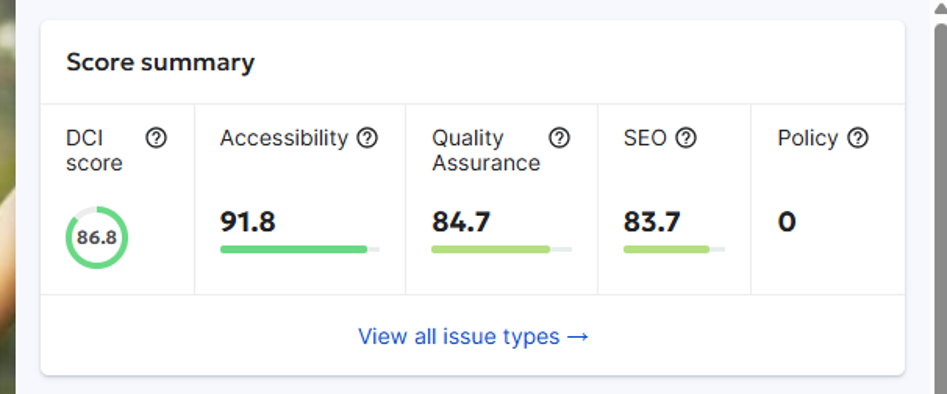
Provides a summary of the scores for different areas of the platform:
- DCI score
- Accessibility score (overall, not broken down by conformance levels of issues)
- Quality Assurance score
- SEO score
- Policy violations count
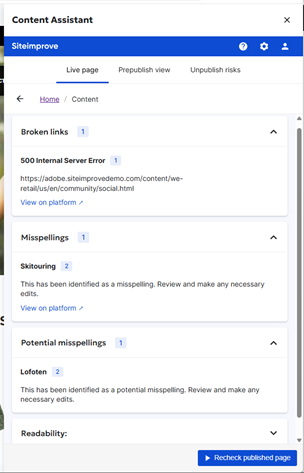
Quality Assurance (Content)
- Misspellings
- Broken links [Not available with Prepublish (Content Check) feature]
- Readability levels
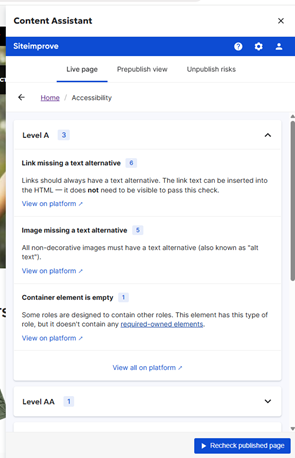
Accessibility
- Accessibility issues (A, AA, AAA, WIA-ARIA, and SI Best Practices conformance levels)
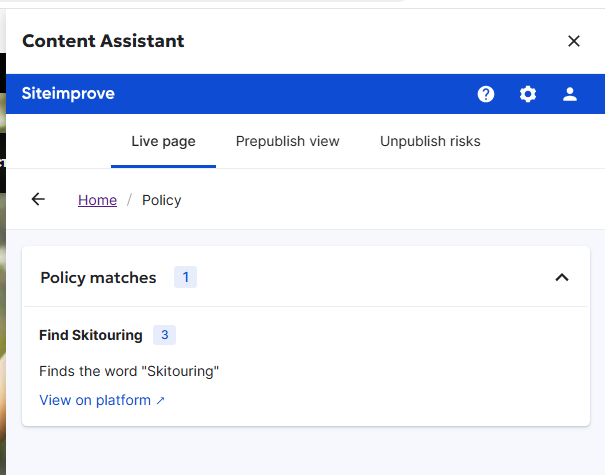
Policy
Displays any "Content" type policies that are marked in the Siteimprove Platform as:
- Enabled for "All Sites" under the Account
- Shared
- Checked to display in the Integrations.
Note: "Media" and "Document" type policies are not supported at this time.
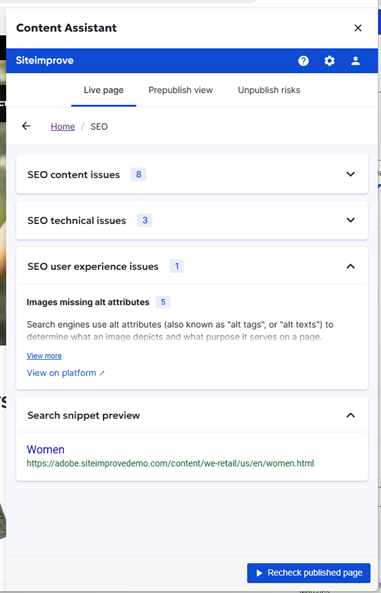
SEO Issues
Note: SEO checks are not available by default with the "New plugin experience," but you can submit a ticket with the Customer Support Team to request access to these checks in Beta mode. They may be available by default down the road though.
SEO Basic
- SEO Technical issues
- SEO Content issues
- SEO User Experience issues
SEO Advanced
- SEO Search snippet preview
- SEO Keywords related to this page (Not available in the "new plugin experience").
- SEO Competing content (Not available in the "new plugin experience").
Analytics
Note: Analytics data is not yet available within the "New plugin experience," but may be coming down the road.
- Page visits (last 30 days)
- Page views (last 30 days)
- Time spent on page
- Internal traffic (referring pages and next pages)
- Feedback rating and comments
Other
- URL Shortener data and its impact on your digital assets (Not available in the "New plugin experience").
- Insights into the impact of unpublishing a specific page.
For further information on this see: How to navigate the Siteimprove CMS Plugin.
Benefits
Incorporate Siteimprove insights into your content management processes
See relevant content quality and accessibility insights within your CMS to prioritize fixes and optimize your website's user experience.
Catch issues early - even before publishing
Review and fix content issues directly in your CMS. The Prepublish (Content Check) feature is available as an add-on for checking drafts before publishing.
Note: You'll need a subscription to Prepublish (Content Check) in order to use the feature. Contact Siteimprove if you have any questions regarding your subscription.
Manage your site more efficiently
Use your DCI® score to keep tabs on how your website is performing in terms of SEO, web accessibility, and quality assurance.
See the impact of unpublishing pages
You can see data relating to pages that you are considering unpublishing. For example, see how removing the page might leave a document orphaned or may lead to broken links on other pages.
Did you find it helpful? Yes No
Send feedback