How to Start a Course in Siteimprove Learning Hub
Answer
To start a course in Siteimprove Learning Hub, navigate to Learning Hub and log in, open the course library, select a course, enroll in it, and then select Start Learning Now to begin taking lessons.
Overview
This article explains how to enroll in and start a course in Siteimprove Learning Hub.
Before You Begin
- Navigate to Learning Hub and log in. (See: How to Log in to Learning Hub)
Start a Course in Siteimprove Learning Hub
- Click View Courses to see the entire course library.
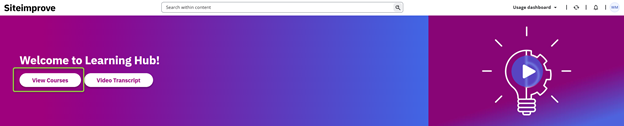
Note: You can also access Featured Courses and the catalog from the main landing page, or click the hamburger menu in the top left corner and select “Course Catalog”
- Select which course you’d like to take to enter the course overview page.
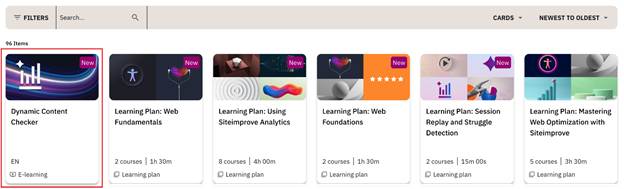
- Select Enroll on the right-hand side to register for the course.
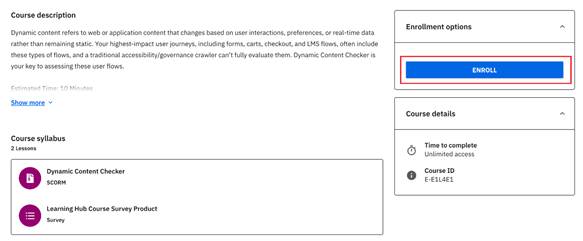
- Once you are enrolled, you’ll see the button change to Start Learning Now.
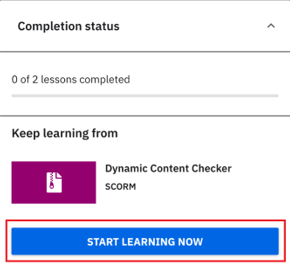
- When you click this button, you will be brought to the screen where you can then select which lesson to start.
Note: Most of our courses do not require you to take the lessons in any order, so you are able to skip around, but you do need to complete all lessons for the course to be marked as completed.
Result
After completing these steps, you will be enrolled in the course and can begin taking lessons in Siteimprove Learning Hub.
Did you find it helpful? Yes No
Send feedback