How to Log In to Your Learning Hub Account
Answer
To log in to Learning Hub, you must have a Siteimprove Platform account provided by your organization's account owner or account admin. You can access Learning Hub either through the Siteimprove Platform using Single Sign-on (SSO) or by navigating directly to LearningHub.Siteimprove.com and signing in with your Siteimprove Platform credentials.
Overview
Learning Hub is Siteimprove's learning and education platform, found at LearningHub.Siteimprove.com. To log in, you must have a Siteimprove Platform account, provided by your organization's account owner or account admin.
Customers have two options for logging in:
- Logging in from the Siteimprove Platform
- Logging in from LearningHub.Siteimprove.com
Log in from the Siteimprove Platform
- Navigate to the Siteimprove platform and log in using your current username and password.
- Navigate to the “Help Center and training” dropdown, indicated by the question mark icon, on the top right corner.
- Select “Learning Hub” to open the Learning Hub in another tab.
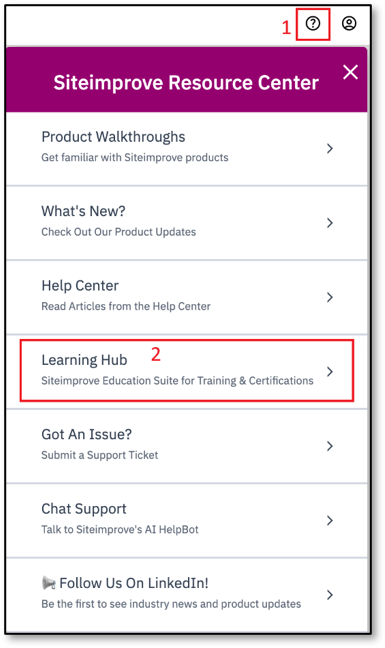
- You will then be automatically logged in via Single sign-on (SSO).
Log in from LearningHub.Siteimprove.com
- Enter the URL for Learning Hub or a specific course you may have been provided.
- You will then be directed to log in using your Siteimprove Platform login information.
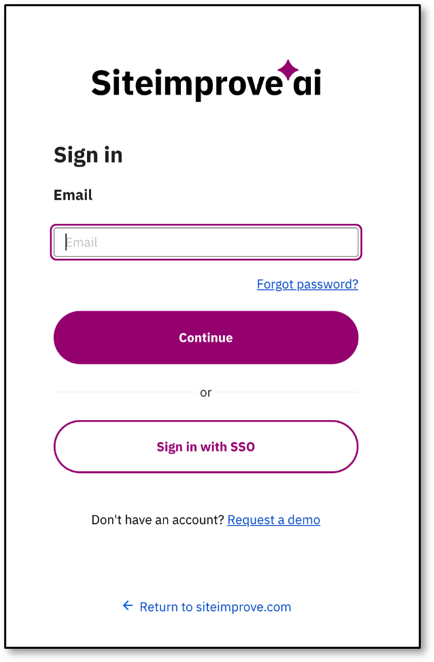
- Once entered, you will be taken to the Learning Hub home page.
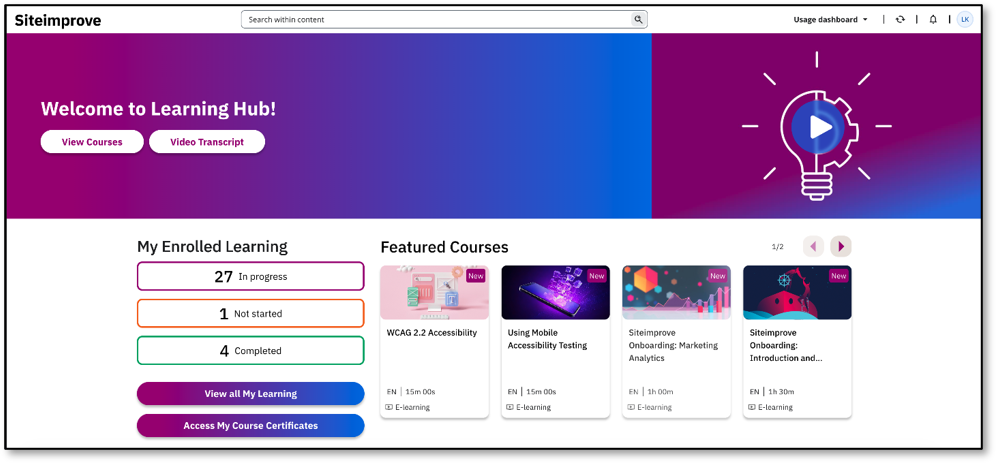
Result
After completing either login method, you will have access to the Learning Hub and its available learning content.
Did you find it helpful? Yes No
Send feedback