Siteimprove Content Suite: Data Flows and Compliance
What is the Siteimprove Content Suite?
The Siteimprove Content Suite is a platform that helps organizations monitor and improve their website content across four key areas: Quality Assurance (QA), Accessibility, SEO, and Policy Compliance.
How Crawling Works
The Crawler uses configurable network and rendering settings to accurately load publicly available pages and capture on-page content needed for analysis. We can align crawl behavior with customer approved geographies.
- User agent strings to identify the crawler
- Proxies to manage IP distribution or access geo-specific content
- Renderer configurations to correctly render the site’s pages (removing cookie banners, scrolling down, wait times, etc.)
- The crawler starts from seed URLs, renders pages like a browser, and extracts content, metadata, links, and accessibility elements.
Dataflow Overview
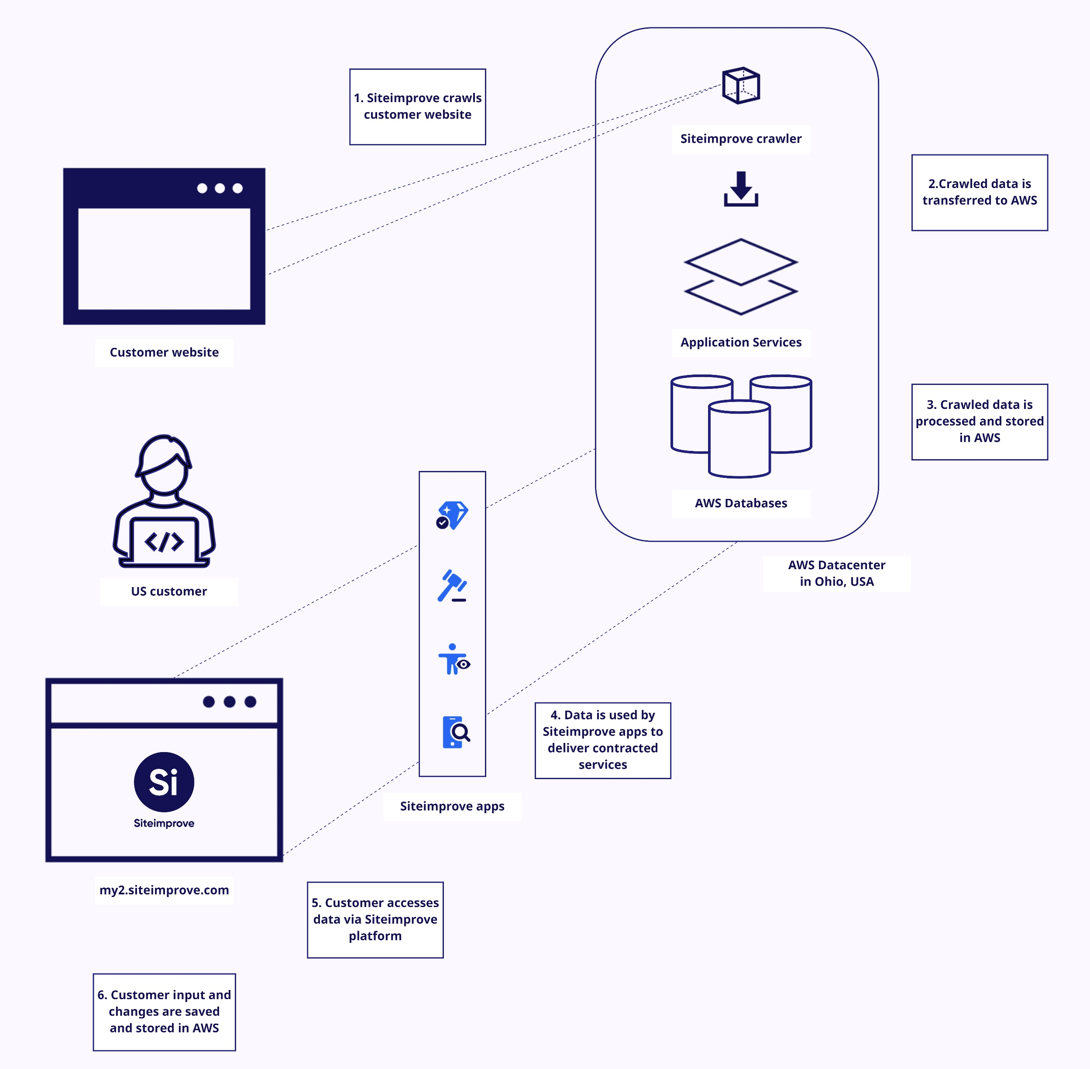
- Crawling: Siteimprove crawls your website using the configured settings.
- Data Transfer: We use TLS 1.2+ and encrypt at rest to AWS (Amazon Web Services).
- Processing & Storage: Content Suite application services (QA, Accessibility, SEO, Policy) process and store the data in AWS.
- Analysis & Reporting: Each product uses this data to identify issues, generate insights, and provide actionable recommendations.
How the Data Is Used
- QA: Finds broken links, typos, and outdated content.
- Accessibility: Checks for WCAG compliance and usability issues.
- SEO: Analyzes metadata, structure, and crawlability.
- Policy: Flags content that violates internal or legal guidelines.
How does the Siteimprove Crawler and the Content Products work?
Figure 1 - Map of dataflow for EU Datacenter
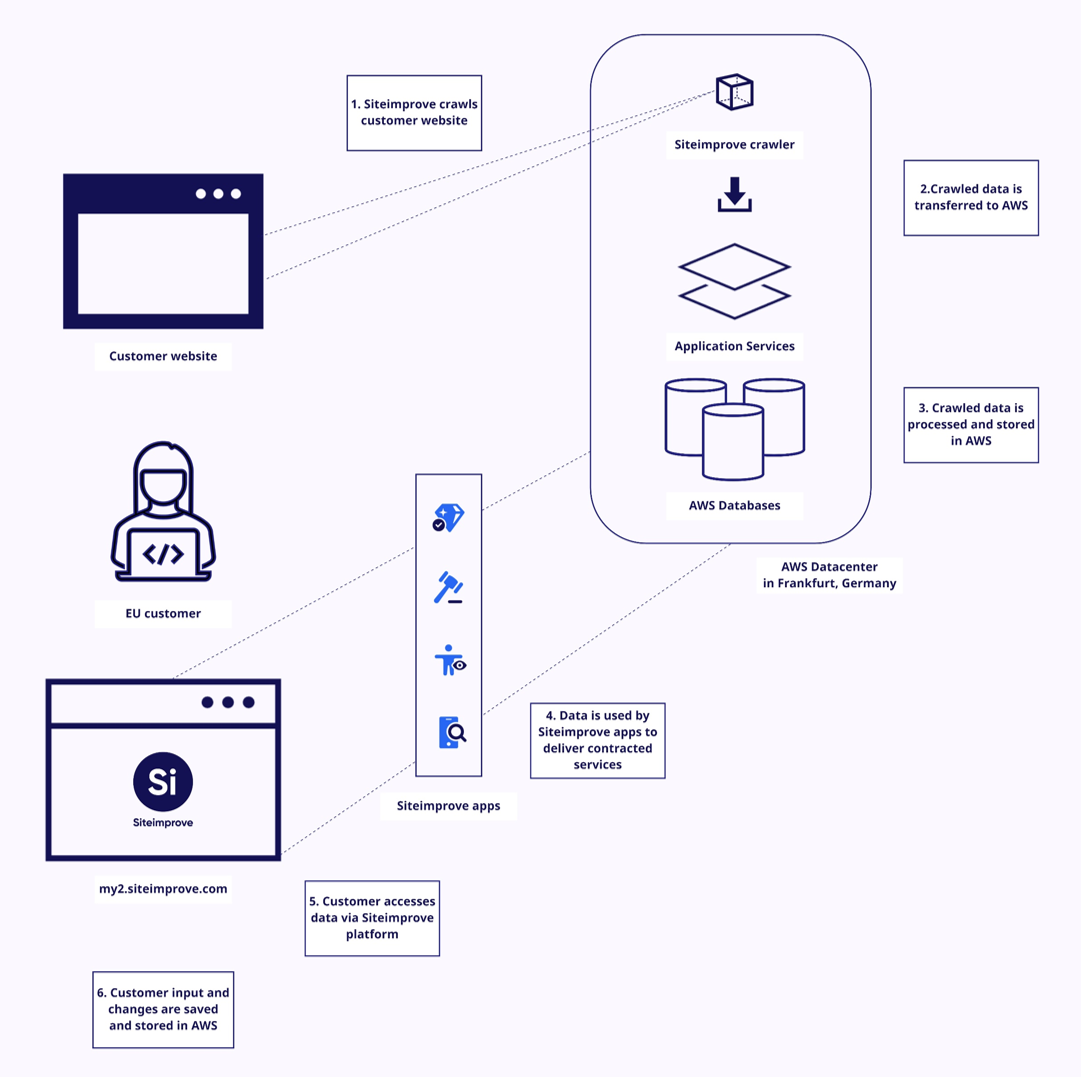
Figure 2- Map of dataflow for US Datacenter
By default, the crawler analyses publicly accessible pages, it does not collect end-user form inputs or credentials. Authenticated crawling is available with our Analytics package. You can find information about Analytics at the Tutorials to Get Started with Analytics page.
Did you find it helpful? Yes No
Send feedback