Streamline your SEO Strategy with our advanced bulk upload feature
Answer
For large enterprises aiming to elevate their SEO strategy, managing and integrating extensive keyword datasets can be a daunting task. Our SEO Enterprise product’s advanced bulk upload feature offers a game-changing solution that simplifies this process. Designed for efficiency and ease of use, this feature allows you to seamlessly upload large volumes of keyword data, eliminating the need for time-consuming manual entries. By streamlining the implementation of your SEO strategy, you can accelerate your ROI and enhance your workflow. Unlike traditional methods or basic tools, our solution minimizes both the cost and effort of managing SEO, making it the ideal choice for enterprises looking to optimize their digital presence.
Prerequisites
- Access to SEO Advanced.
- Keywords to import.
- If using Import from file, the completed Excel import template.
How to import keywords using the advanced bulk upload feature
Step 1: Open Bulk keyword import
Select SEO Settings > Bulk keyword import.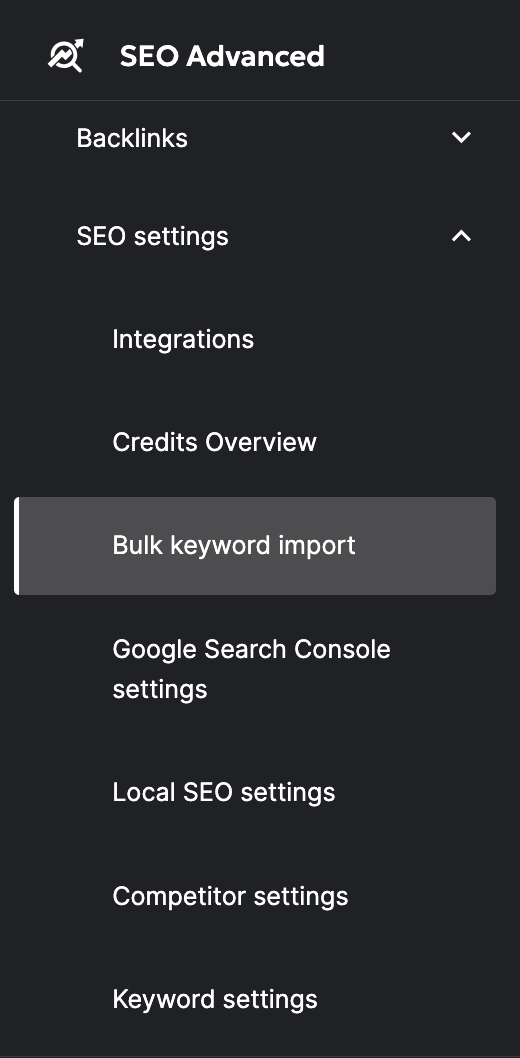
Step 2: Choose an import option
Select one of the 2 import options available:
Quick import
Quick import works best if you have a low volume of keywords you want to upload. You just need to enter keywords separated by a comma or a line break.
Import from file
Import from file is ideal for uploading large volumes of keyword data. This feature allows you to either map the data to existing activity plans or to create a new activity plan during the upload process.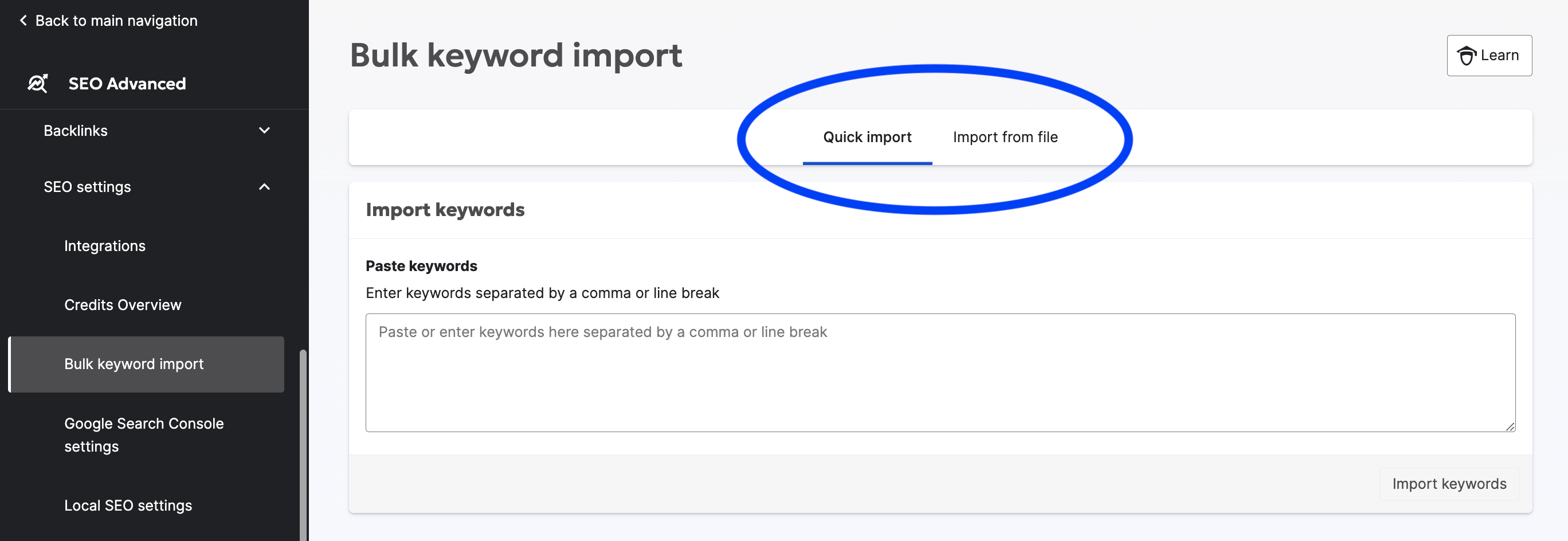
Step 3: Import keywords from a file
You can import up to 50.000 keywords with our template allowing you to specify search settings, activity plans and tags. You can download the Excel template, linked at the bottom of this page.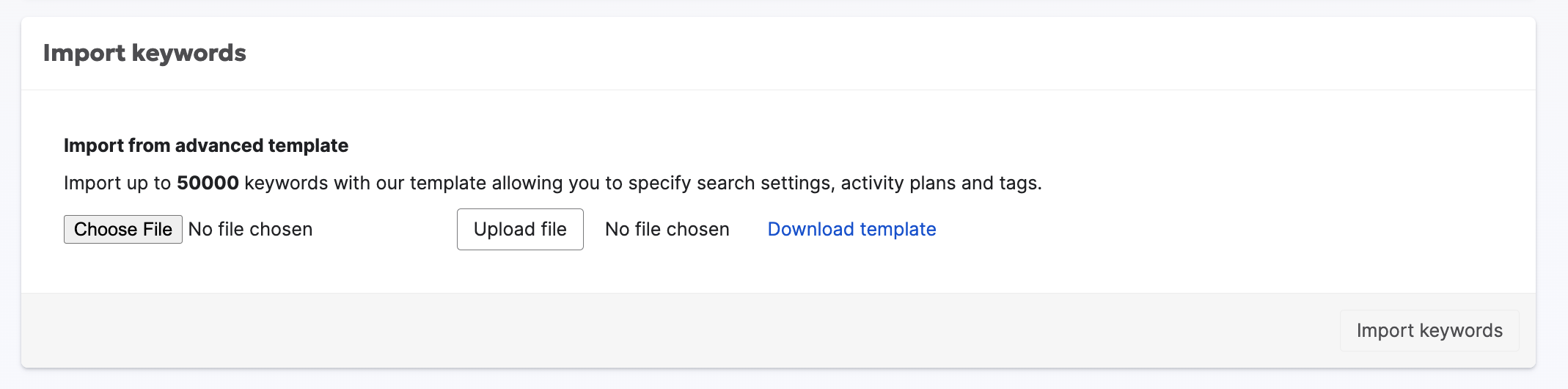
The Excel file template will contain the following input fields:
- Activity Plan: You can either add an existing activity plan name, which we will then link the keywords to, or create a new activity plan entirely during the upload process
- Keyword: This should contain the list of keywords you want to upload
- Country
- Region (optional)
- City (optional)
- Device type: This can either be Mobile or Desktop
- Provider: This could either be Google or Bing (US only)
- Tags (optional)
Result
Your keywords have been uploaded using either Quick import or Import from file and can be linked to existing activity plans or a new activity plan created during the upload process.
Did you find it helpful? Yes No
Send feedback